Several Claude Code and Codex accounts on one computer, sharing one memory.

hvf, the first piece of Hivefold, gives each account its own isolated profile while all of them share the same skills, commands and rules. Your agents keep what they learn in an Obsidian vault and can hand work to each other.

Status: hvf works today on macOS and Linux. The rest of Hivefold (the daemon, web and mobile) is being built in phases: see the roadmap.

Latest version: 0.22.1, 27 October 2026. Read the changelog

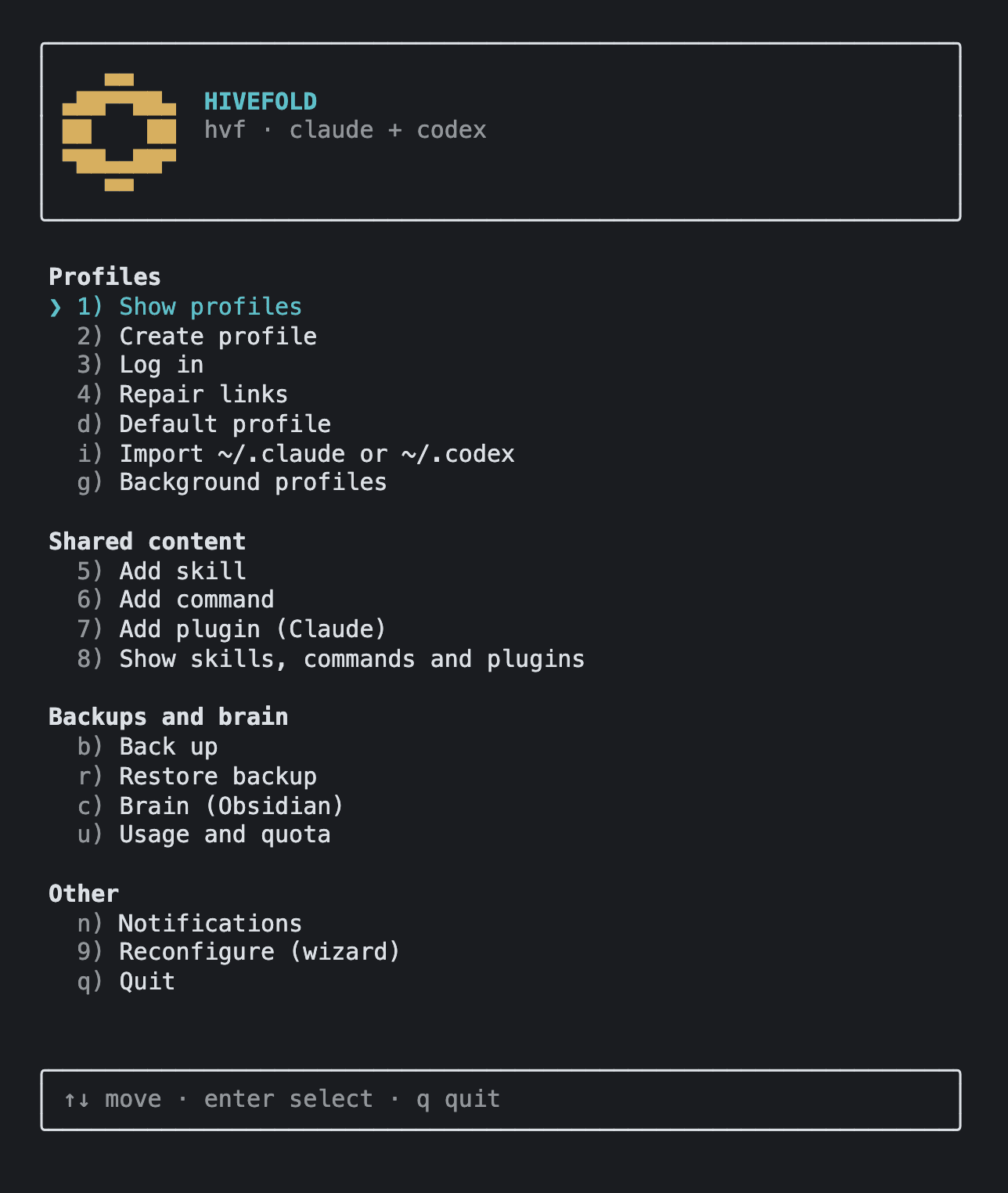
hvf's full-screen menu in the terminal: the hexagon logo on top and the options grouped into Profiles, Shared content, Backups and brain, and Other.
The hvf menu. Real capture with sample profiles.

What hvf already does

All of this works today from the terminal, with Claude Code and Codex.

Available

One profile per account, shared things stored once

Each account keeps its session, history and state in its own folder (CLAUDE_CONFIG_DIR or CODEX_HOME). Skills, agents, commands, plugins, rules and settings live once in ~/.hivefold/shared and are linked into every profile, item by item.

When one profile needs its own version of a skill, you make it private there and the rest keep sharing it.

  • claude-workOne alias per profile, ready in any terminal.
  • hvf default claude-workPick which profile plain claude uses.
  • hvf import claudeTurn your existing ~/.claude into one more profile.
  • hvf content unshare claude-work skills/draftKeep a skill private to a single profile.
What ~/.hivefold looks like with two Claude profiles
~/.hivefold/
├── shared/claude/skills/
│   └── review-pr/
└── profiles/
    ├── claude-personal/skills/
    │   └── review-pr → shared
    └── claude-work/skills/
        ├── review-pr → shared
        └── draft/ # private, only in this profile
A shared brain in Obsidian

hvf brain init creates an Obsidian vault that all your agents use as memory: preferences, a note per project, decisions, learnings and a session journal. Every Claude Code session starts knowing your preferences and where the project stands, and gets logged in the journal when it ends. The vault is versioned with git, so any change can be undone.

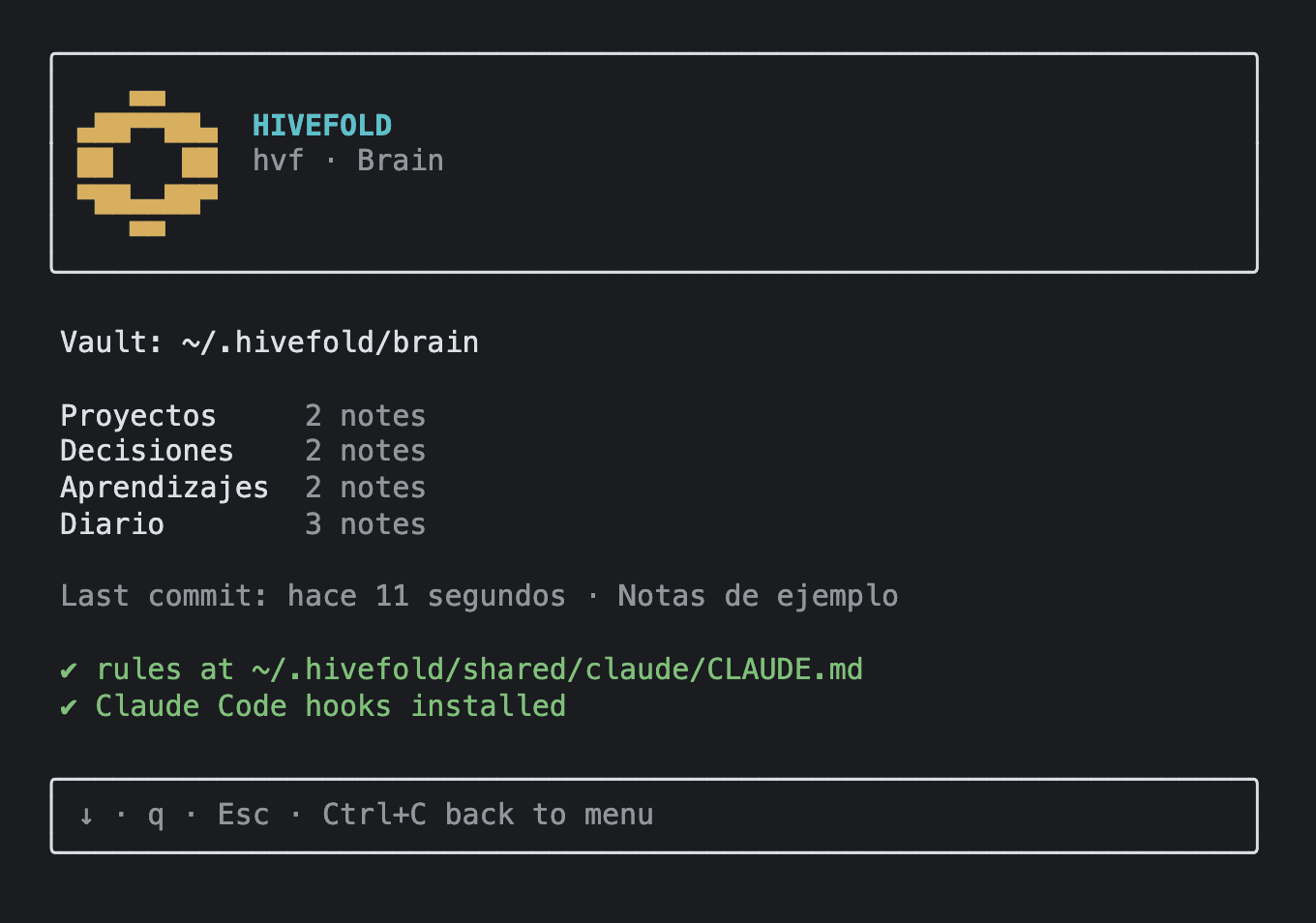
hvf's brain view: the vault path, how many notes are in Projects, Decisions, Learnings and Journal, the last commit, and the rules and hooks checks marked as fine.
hvf brain: the vault and how it's wired into each tool.

Agents that hand work to each other

hvf mcp install registers an MCP server in every profile. From a session, an agent sees the other profiles and their quota, and can delegate a task right now or leave it in their mailbox for later. Delegations have a depth limit, detect cycles and are logged.

task_delegate
Runs the task now on another profile and waits for the result. Uses that profile's quota.
msg_send
Leaves the task in the other profile's mailbox, which sees it on its next turn. Uses no quota.

And also

Background runs with tmux
hvf bg start claude-work "review the open PRs"

Opens a profile in a tmux session and gives you your terminal back. Jump back in with hvf bg attach.

Usage and quota
hvf usage

Each profile's 5-hour and weekly windows, and when they reset.

Telegram alerts
hvf notify telegram setup

New mailbox messages, finished delegations, background runs that end and quota above your threshold.

Backups
hvf backup

A single .tar with profiles, shared content and brain. Restoring never deletes anything: what was there is set aside.

Terminal interface
hvf

A full-screen, keyboard-driven menu: profiles, quota, brain, shared content and alerts.

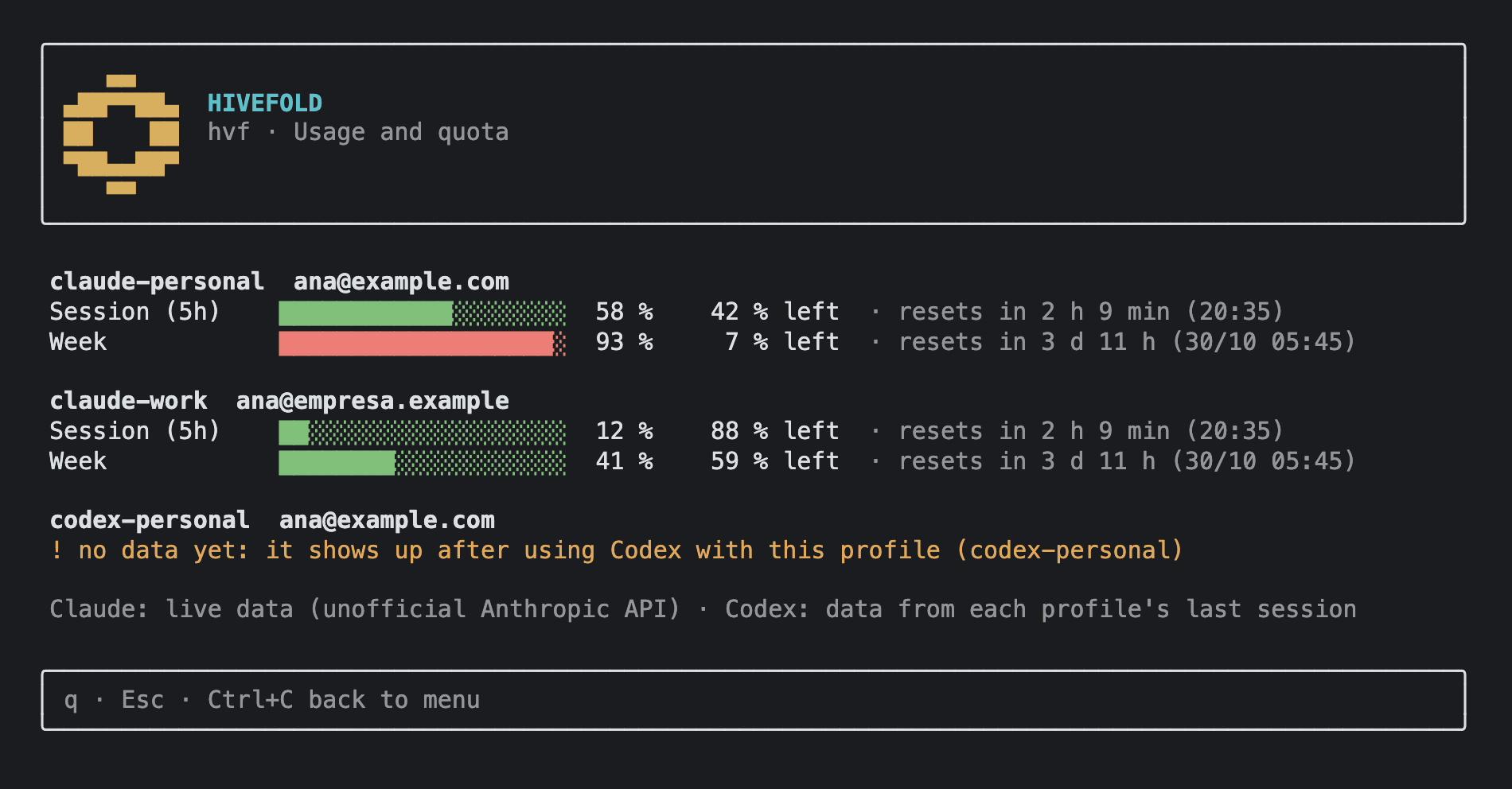
hvf's usage and quota view: for each Claude profile, one bar for the 5-hour session and one for the week, with the percentage used, what's left and when it resets.
hvf usage: quota per profile. Sample data.

Install hvf

Install command

curl -fsSL https://hivefold.paveldelpozo.es/install.sh | bash

Then open a new terminal and run hvf. To update, run the same command again.

First steps

  1. hvf

    The first run opens the setup: which tools you use, where folders go and your profiles, one by one. Run it again with hvf init; it only adds what's missing.

  2. hvf add claude work

    Creates another profile whenever you need one and offers to sign in.

  3. hvf run claude-work

    Opens Claude Code with that profile. The claude-work alias does the same.

  4. hvf brain init

    Creates the shared brain and connects it to every profile.

  5. hvf mcp install

    Registers the MCP server so agents can delegate tasks and use the mailbox.

Where it's going

hvf is the first piece. The goal is a headless orchestrator that coordinates many agents across models and accounts, driven from the terminal, the web or your phone. This is the order of work, with no dates.

  1. Done

    API and data model design

    Resources, events, role permissions and how every hvf command maps to the API.

  2. Done

    Daemon and event log

    A background service that records every change in an event log and is the only process that writes state.

  3. Done

    Plugins in their own processes

    Each plugin (Claude, Codex, brain, Telegram) runs in its own process, with the permissions it declares.

  4. In progress

    hvf as a daemon client

    The CLI and the terminal interface talk to the daemon through an API.

  5. In progress

    Phone access with passkeys

    A gateway inside your Tailscale network, users and teams, and passkey sign-in. No open ports.

  6. Planned

    Web and mobile

    A web app you can install on your phone, with the same things as the terminal: profiles and quota, background runs with their terminal, mailbox, brain and alerts.

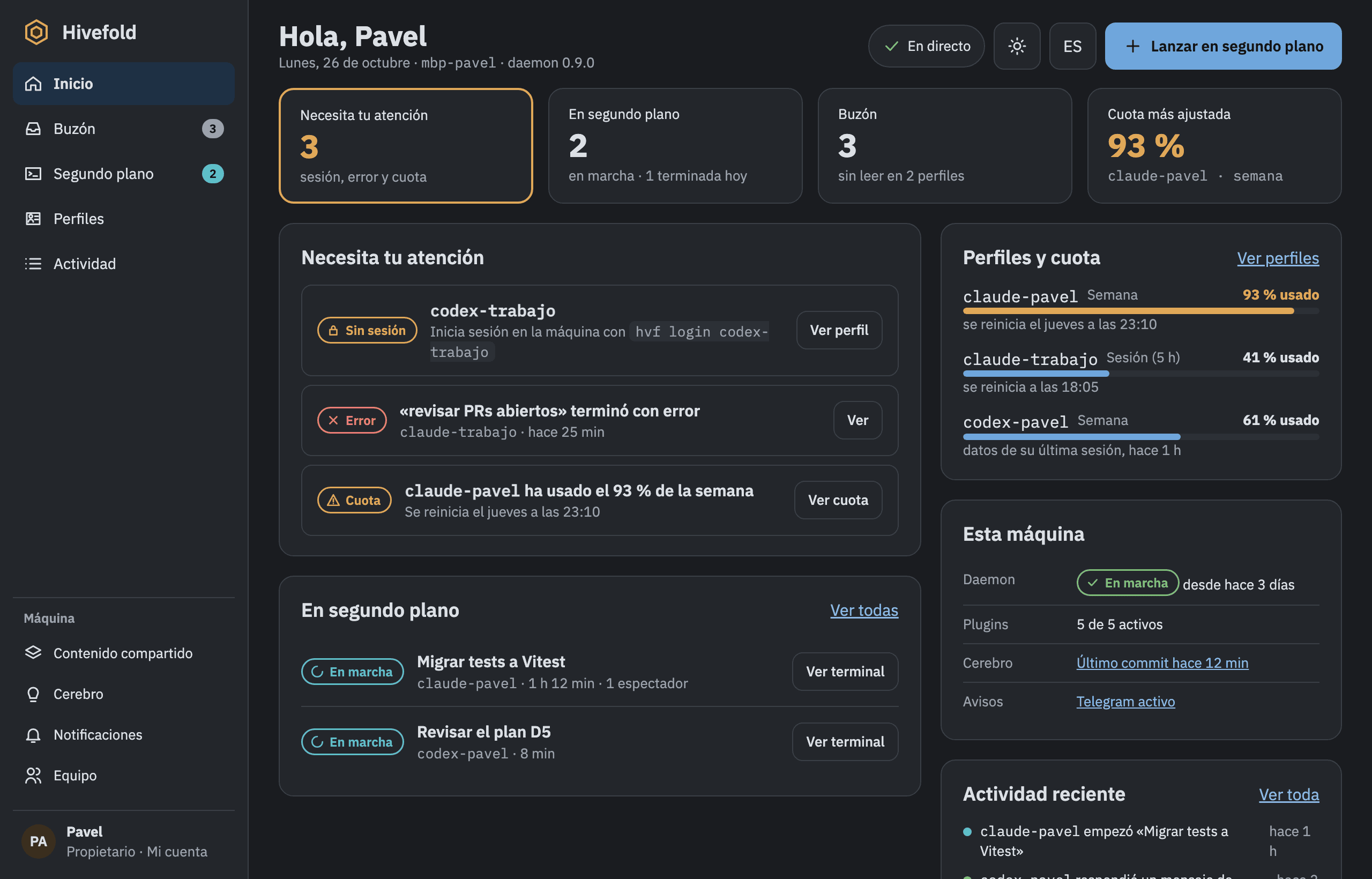
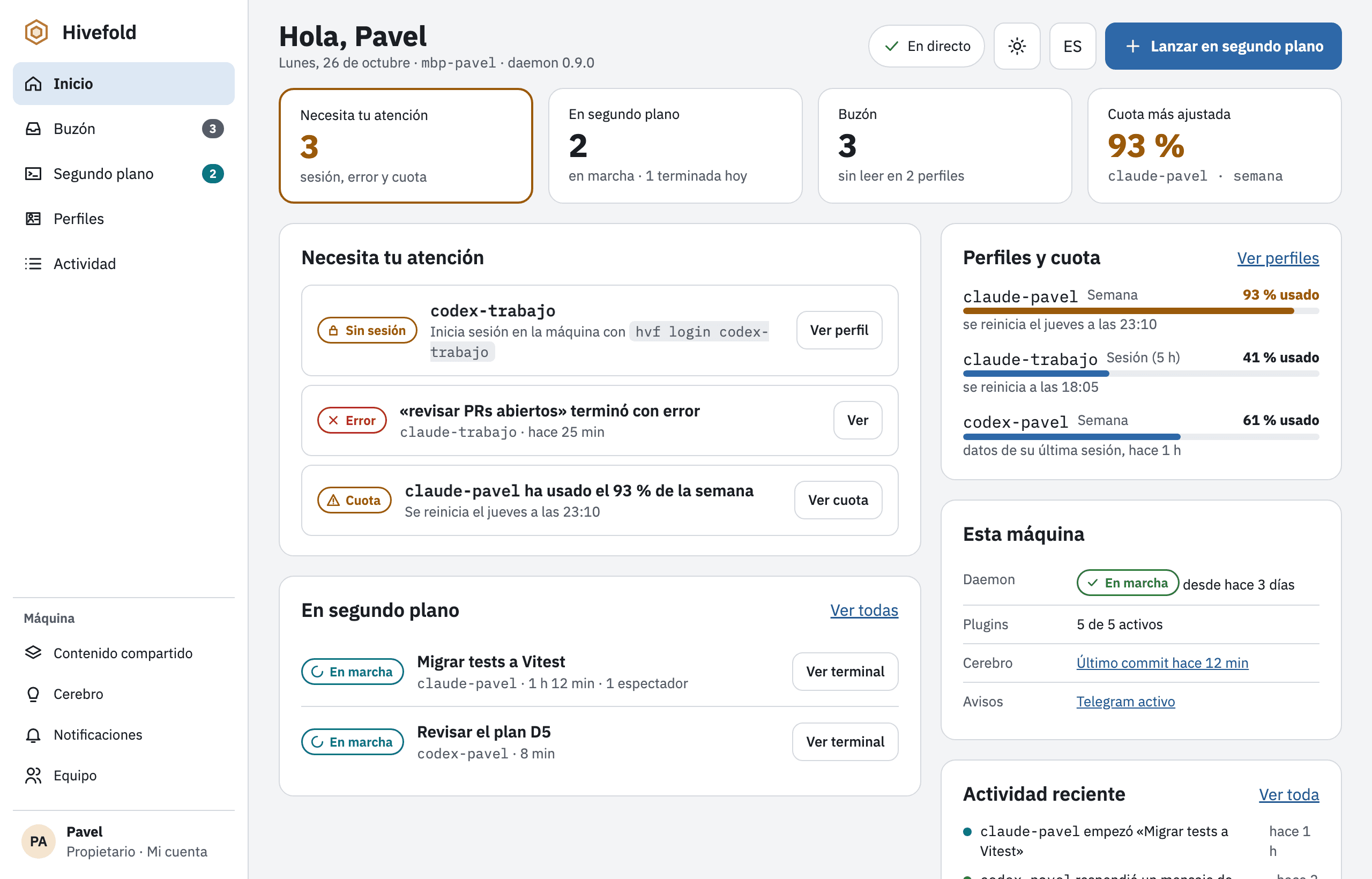
    Mockup

    Mockup of the Hivefold web home screen: alerts that need attention, background runs, quota per profile and recent activity.
    Mockup of the Hivefold web home screen: alerts that need attention, background runs, quota per profile and recent activity.
    Mockup of the web home screen, shown in Spanish. It doesn't exist yet.
  7. Planned

    3D brain viewer

    The vault's notes shown as a 3D brain, with what agents read and write appearing live.

  8. Planned

    Question inbox

    When an agent asks something with options, you answer with one tap from the terminal, the web, your phone or Telegram. And you can message any agent whenever you like.

  9. Planned

    Generated files

    Images, PDFs or reports an agent produces, viewable from the browser on your computer or phone.

  10. Planned

    Hivefold built with Hivefold

    A task queue with one worktree per task, per-agent states and runs that resume when the quota resets.

Further out

  • Projects with their own board, repositories and brain.
  • More providers, such as Gemini, and local models.
  • Community plugins built on the same API as the official ones.
  • An assistant you can drive by text or voice.
  • Teams of several people, each on their own machine, federated together.

The plan is for all of Hivefold to be free and open source, with no paid features. The license hasn't been published yet.